
Use Image Vectorizer
Convert an image into a clean, editable vector graphic with the AI Vectorizer, free on every plan.
The Image Vectorizer converts an image into a clean, scalable vector graphic, right on your artboard. Use it when you want to turn a raster image, like a photo, an illustration, or a sketch, into editable shapes you can resize without losing quality, recolor, or refine node by node.
Before you start
The Image Vectorizer doesn't use tokens and is available on every plan, including Free.
Open the vectorizer
There are two ways in.
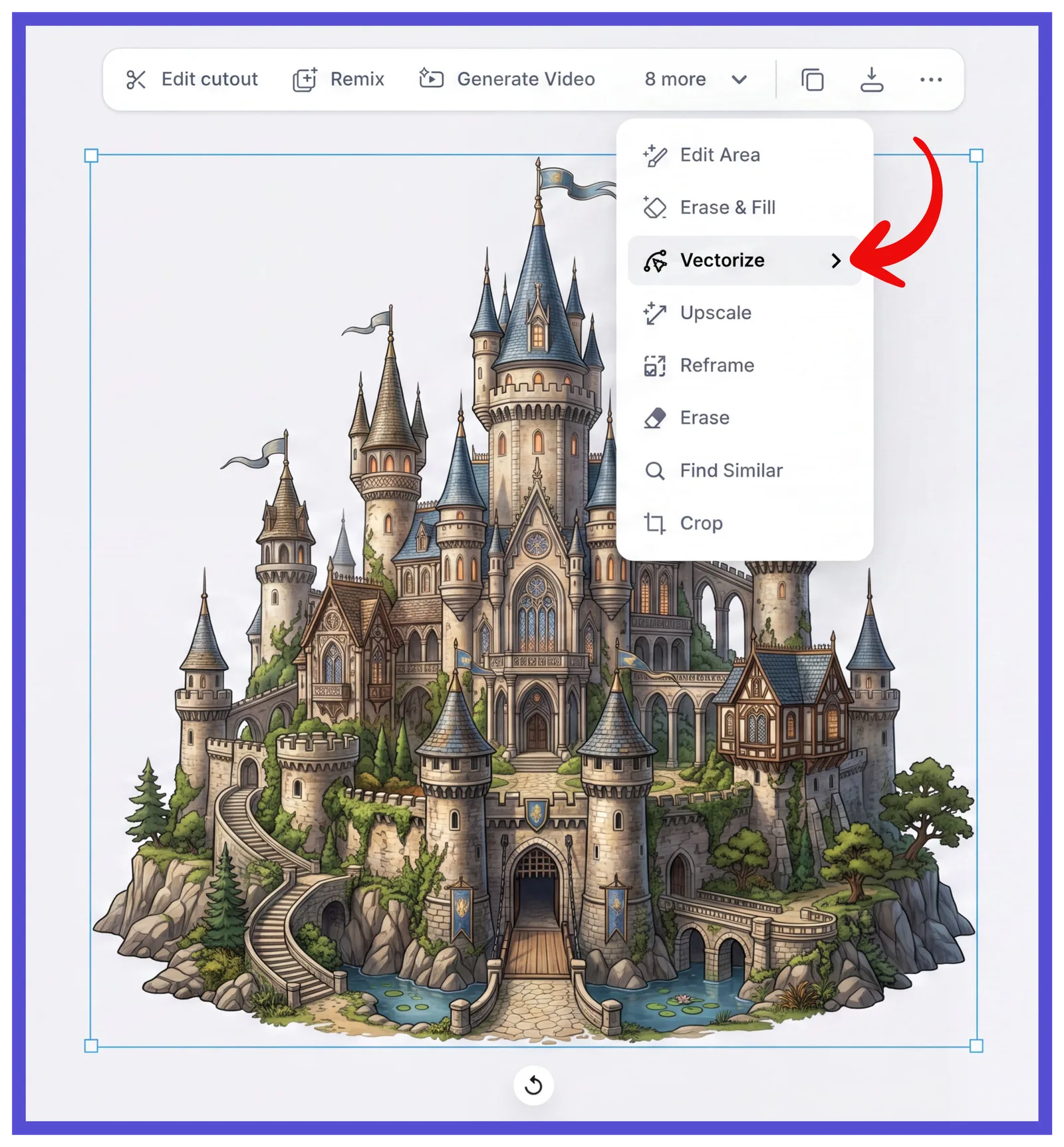
From the contextual toolbar Select an image on your artboard, open the more menu in the toolbar above it, and choose Vectorize.
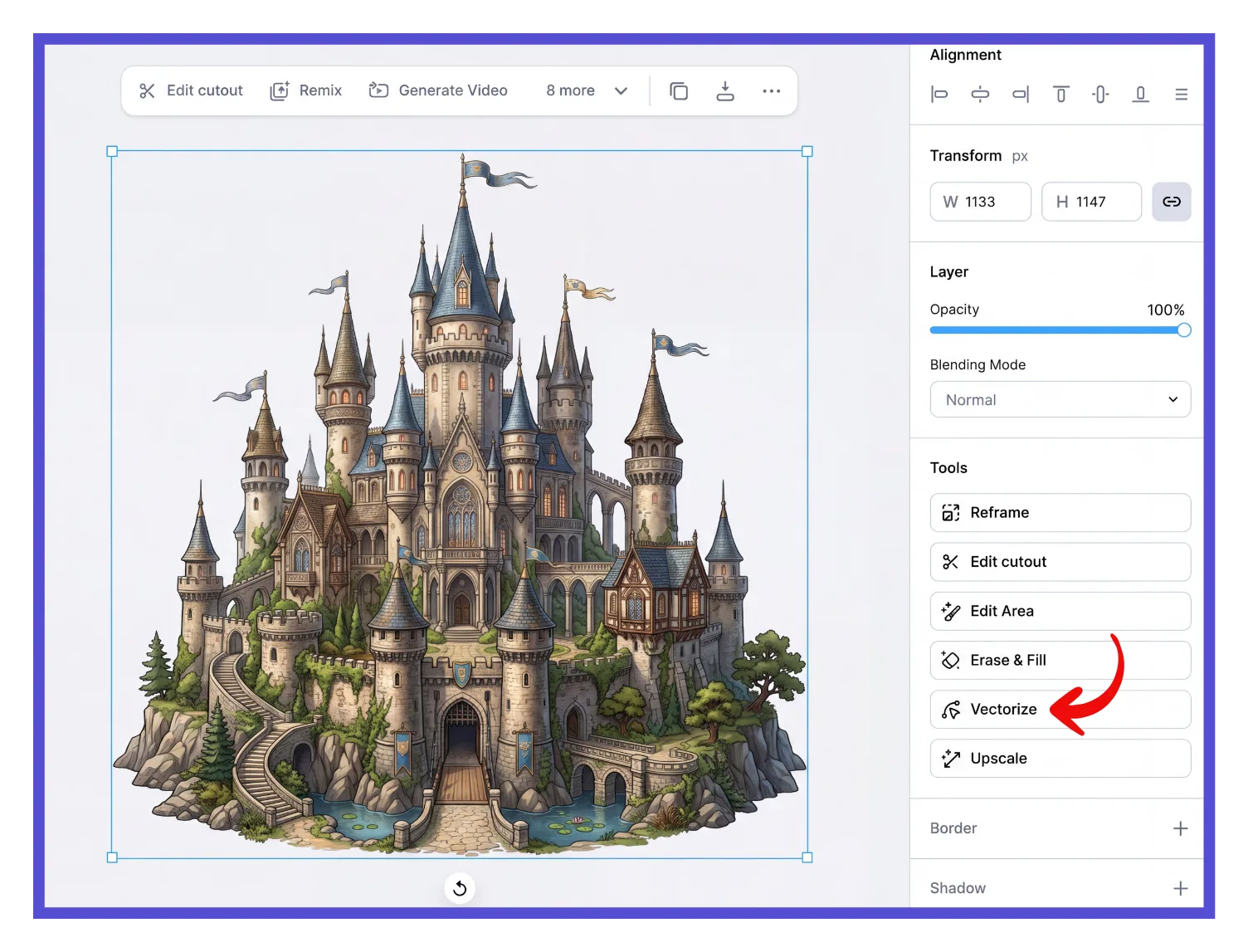
From the Tools panel With the image selected, choose Vectorize under Tools in the right panel.
Set your colors and vectorize
Click Vectorize to open the Vectorizer panel.
Drag the Colors slider to set how many colors the vector keeps. Fewer colors give you a cleaner, more simplified result; more colors keep closer detail.
Click Vectorize Image.
Expected outcome
The image turns into a scalable vector graphic directly on your artboard. In the right panel, each color used in the vector is listed under Illustration Colors, ready for you to recolor.
Troubleshooting
My vector lost too much detail.
Reopen the vectorizer tool and drag the Colors slider higher, then click Vectorize Image again. Still losing detail at 16 colors, the maximum? The Vectorizer is built for flat, simple graphics like logos, clipart, and icons, not photos or gradients, so highly detailed or photographic images will lose some fidelity no matter the color count. Try simplifying the source image first (higher contrast, fewer colors, flattened gradients), or keep it as a raster if you need the full photographic detail.
My vector looks too busy, with lots of small shapes.
Reopen the vectorizer tool and drag the Colors slider lower for a cleaner, more simplified result. Still busy at a low color count? The noise is likely coming from the source image itself, like fine texture, dithering, or JPEG artifacts, rather than the color count. Try vectorizing a cleaner source image, or manually simplify the result afterward with Shape Builder or node editing to merge or delete stray shapes.
I don't see Vectorize as an option.
The object you've selected is probably already a vector file. You can tell by checking the right panel: a raster image shows Tools like Reframe, Upscale, and Edit cutout, while a vector shows Illustration Colors instead.
Common questions
Can I change the colors after vectorizing?
Yes. Once an image is vectorized, its colors appear under Illustration Colors in the right panel. Click any color there to recolor it. See Change element colors for details.
Can I edit the shapes after vectorizing?
Yes. Double-click into a vectorized shape to access its nodes and handles, then reshape it like any other vector. See Vector editing for details.
Does vectorizing use tokens or need a paid plan?
No. The AI Vectorizer is token-free and available on every plan, including Free.
Related articles